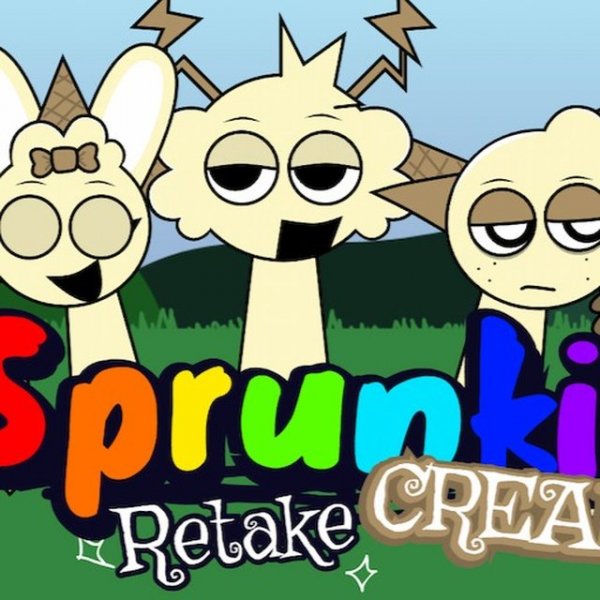
Sprunki Retake Creamy Music Maker
Review
Sprunki Retake Creamy is a charming music creation game that stands out for its simplicity and accessibility. The drag-and-drop interface is intuitive, allowing anyone to start composing immediately. The variety of sounds encourages experimentation, and the family-friendly design makes it safe for kids. It runs smoothly on any device, making it a great choice for casual creative fun.
Faq
About This Game
Game Introduction
Sprunki Retake Creamy is a delightful online music creation game that makes composing your own tunes simple and enjoyable. Players drag animated icons to different characters, with each icon adding a unique sound to the composition. The game retains the original set of sprays while introducing many more sound pictograms to explore. Designed to be intuitive, it allows players to listen to each sound by removing and replacing icons. This family-friendly game runs smoothly on web browsers for PC, mobile phones, and tablets, making music creation accessible to everyone. The core objective is to experiment with different icon combinations to discover unique sound blends and build layered musical pieces. What makes Sprunki Retake Creamy unique is its straightforward drag-and-drop interface that requires no prior musical knowledge, encouraging creativity and exploration in a safe, fun environment.
How to Play
To play, choose an animated icon from the selection and drag it to one of the characters. Each icon adds a unique sound to your music composition. You can remove sounds by clicking on them, then move a new icon to try different combinations. All controls are handled with your mouse, making the process simple and intuitive. This straightforward approach makes it great for beginners and music lovers alike. Players can experiment freely, layering sounds gradually to build more complex compositions. The game encourages trial and error, allowing you to listen to each sound individually by removing and replacing icons. This hands-on method helps you learn the available sound pictograms and discover your favorite combinations.
Game Features
Family-friendly and safe for all ages. Easy controls that anyone can learn quickly. Diverse sounds encourage creative exploration. Full support for PC, mobile, and tablet browsers. The drag-and-drop interface makes music creation accessible without any prior knowledge. The game includes a variety of sound pictograms that expand upon the original set, providing more options for musical experimentation. It runs smoothly on most modern web browsers, ensuring a seamless experience across different devices. The simple, intuitive design means players of all skill levels can start creating music immediately.
Tips for Success
Experiment with different icon combinations to discover unique sound blends. Take your time to listen to each sound individually by removing and replacing icons. Try layering sounds gradually to build more complex compositions. Practice regularly to become more familiar with the available sound pictograms. Most importantly, have fun and let your creativity guide you. There are no wrong combinations, so feel free to explore and create music that sounds good to you.
Compatibility
You May Also Like

Sprunki Music Maker Online
Sprunki , music creation , online game , sound experiment , family game , creative play
Sprunki Retrowave Music Mixing
Sprunki , Music Mixing , Retrowave , Creative , Family Game , Sound Design , Casual , Browser Game
Sprunki Retake Creamy Music Maker
Sprunki , music game , creative , family-friendly , browser game
Sprunki Deluxe Music Mixer
Sprunki , music game , creative , family-friendly , casual , sound mixing
Sprunki Music Maker Creative Game
Sprunki , music creation , rhythm game , family game , creative , sound mixing , browser game
Sprunki Phase 10 Music Maker
Sprunki , music creation , rhythm game , sound mixing , family-friendly
Sprunki Music Show Arcade
Sprunki , music show , arcade , creative , fun , family