
Reviews
Bus Parking Simulator offers a satisfying driving challenge with its realistic 3D graphics and authentic engine sounds. The controls are responsive, allowing for precise steering and gradual maneuvers. The increasing difficulty of the levels keeps the gameplay engaging without becoming frustrating. It is a great tool for anyone looking to practice parking in a safe, virtual environment.
About this game
Game Introduction
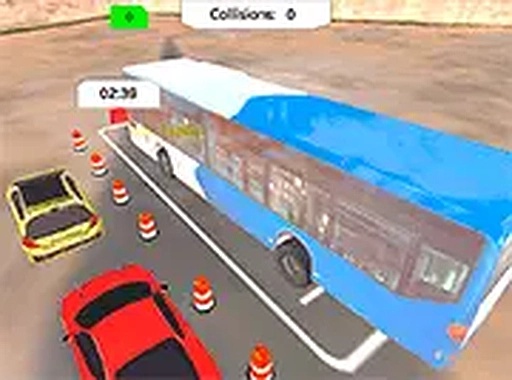
Bus Parking Simulator is an online driving simulation game where players take control of a large bus and practice parking in various challenging lots. The primary goal is to carefully steer the vehicle into designated parking spaces while avoiding obstacles such as barriers and other cars. Each level presents a new layout with tighter spaces and more complex maneuvers, requiring players to develop precise steering and spatial awareness. The game uses realistic 3D graphics and authentic engine sounds to create an immersive experience that feels true to life. Designed for anyone who enjoys driving challenges, this simulation offers a safe, virtual environment to practice and refine parking skills. Since it runs directly in a web browser with no download needed, it is accessible on many devices, making it easy to play anytime.
How to Play
Players typically use keyboard arrow keys or a mouse to control the bus's movement. The objective is to navigate through the parking lot, following an on-screen guide that points toward the target parking spot. When approaching the designated area, careful alignment is needed to position the bus within the marked lines. The game provides feedback on accuracy and time taken for each attempt. As players advance, levels introduce sharper turns and narrower spaces, demanding greater precision and patience. Smooth, gradual steering and controlled speed are essential for successful parking.
Game Features
Realistic 3D graphics provide an authentic driving environment. Levels gradually increase in difficulty, offering a steady challenge. Immersive sound effects include engine noise and parking sensors to enhance realism. Controls are flexible, supporting both keyboard and mouse input. A full-screen mode helps players focus on the task. The game is available online and requires no download, making it easy to start playing on any device with a modern browser.
Tips for Success
Practice regularly to improve your steering and distance judgment. Begin with simpler levels to build confidence before attempting more complex parking spots. Use smooth, gradual movements rather than sharp turns to maintain control. Pay attention to the on-screen feedback to refine your technique. Taking short breaks can help maintain focus and prevent frustration.










Comments
Sign in to leave a review
No account? Create one
No comments yet.