
Reviews
Produce Match-Up Puzzle offers a calm yet engaging sorting experience that appeals to puzzle fans of all ages. The core mechanic of directing food items to matching carts is simple to learn but becomes increasingly challenging as the conveyor belt speeds up and more item types appear. The bright, cheerful graphics and upbeat soundtrack create a pleasant atmosphere, while unlockable themes add a personal touch. Power-ups provide strategic depth without complicating the gameplay. With regular updates and a steady flow of new levels, this game is a solid choice for anyone looking for a low-stress puzzle activity that can fill short breaks or longer sessions.
About this game
Core Sorting Mechanics
At its heart, this game challenges players to categorize a stream of produce and drinks by directing each item to the appropriate takeout cart. The conveyor belt keeps items moving, requiring quick decisions and careful attention. Early rounds introduce only a few types of items, but later stages add more categories and faster speeds, testing both accuracy and reaction time. The intuitive tap-and-drag controls make it easy for anyone to pick up and play, regardless of experience with puzzle games.
Level Progression and Difficulty
The game includes a substantial number of levels that gradually increase in complexity. New item types appear as players advance, and the conveyor belt moves faster, creating a steady ramp in difficulty. Some levels introduce special obstacles, such as items that require extra taps to sort or temporary slowdowns. This progression keeps the experience fresh without overwhelming newcomers. Players who enjoy a steady challenge will find plenty to keep them engaged over multiple sessions.
Visual and Audio Atmosphere
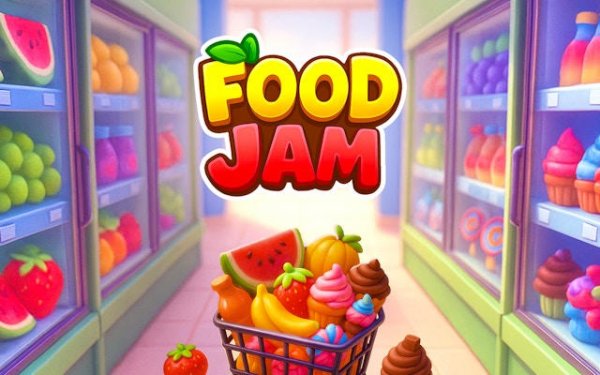
Bright, colorful graphics give each food item a distinct and appealing look, making sorting both easy and visually pleasant. The cheerful background music and subtle sound effects for correct placements add to the relaxing tone. Players can unlock different visual themes that change the color palette and background art, allowing for personalization. The overall presentation is clean and uncluttered, helping players focus on the task without distraction.
Power-Ups and Strategic Use
Special power-ups become available as players progress, offering temporary boosts like slowing down the conveyor or automatically sorting a few items. Using these tools at the right moment can make tricky levels much more manageable. For example, saving a slowdown power-up for a section with many different item types can prevent mistakes. Learning when to activate each power-up adds a layer of strategy beyond simple sorting, rewarding thoughtful play.
Long-Term Engagement and Updates
The developers regularly add new levels and occasionally introduce seasonal items or limited-time events. This ongoing support gives regular players something to look forward to and keeps the game from becoming stale. The simple, satisfying loop of sorting items one after another works well for short breaks, but the depth of later levels also suits longer play sessions. Players who enjoy collecting achievements or high scores will find additional motivation to return.









Comments
Sign in to leave a review
No account? Create one
No comments yet.