Review
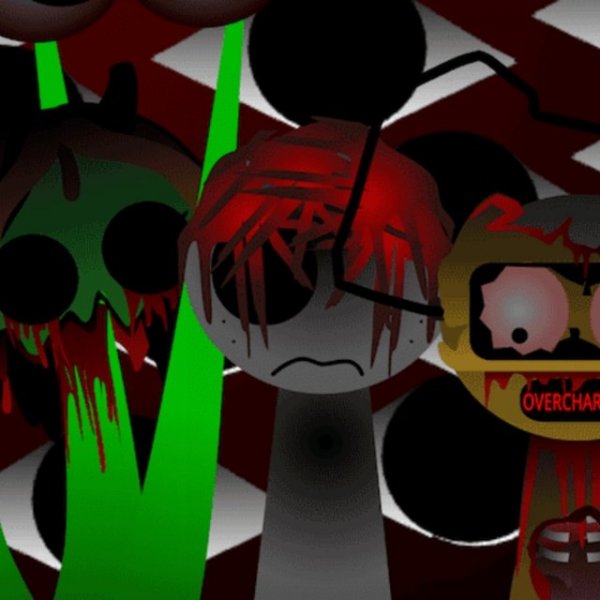
Sprunki Phase 8 offers a relaxed music creation experience. The sound library is varied, and the hidden bonuses encourage experimentation. Saving and sharing tracks adds a social layer that motivates improvement. The controls are intuitive, making it accessible for all ages. Replay value is high because each mix can be completely different. A solid choice for creative breaks.
Faq
About This Game
Game Introduction
Sprunki Phase 8 is a browser-based music creation game that invites players to explore a fresh set of sounds and animations. You start with a blank canvas and a library of new audio clips. The goal is to combine these clips into a harmonious or surprising musical piece. Unlike traditional rhythm games, Sprunki Phase 8 focuses on freeform composition. There are no scores or time limits. You are encouraged to try every sound and combination to discover unique mixes. Hidden bonuses appear when you experiment with unusual pairings, adding extra layers to your track. The game also includes new animations that react to your choices, making each session visually engaging. Whether you prefer calm melodies or chaotic beats, the tools are here for you to craft something personal.
How to Play
Use your mouse to navigate the game interface. Begin by selecting sounds from the available library. Each sound icon represents a different instrument or effect. Click to add it to your composition. You can layer multiple sounds by dragging them onto the timeline. Adjust volume levels or mute individual tracks to fine-tune your mix. Try combining unexpected sounds to trigger hidden bonuses. Once you are satisfied, save your creation to your personal library. You can revisit and edit saved tracks later. Share your music with the Sprunki community by using the in-game share button. Read feedback from other players and decide whether to improve your piece or leave it as is. The controls are simple, but the possibilities are vast.
Game Features
New sounds and animations are added regularly. Hidden bonuses reward creative experimentation. You can save and share your compositions with a community of fans. The interface is mouse-controlled and easy to learn. Each session offers a fresh creative experience.
Tips for Success
To get the most out of Sprunki Phase 8, experiment freely with different sound combinations. Try layering unexpected clips to discover hidden bonuses that add depth to your track. Adjust volume levels to balance your mix. Save your work often so you can revisit and refine your compositions. Engage with the community by sharing your music and reading feedback—this can inspire new ideas and help you improve your creations.
Compatibility
You May Also Like

Sprunki Digital Circus Dress-Up
Sprunki
Sprunki Night Time Music Game
Sprunki , music game
Sprunki SprunkBricks Music Mixing
Sprunki
Sprunki Musical Battle Arcade
Sprunki , musical battle , arcade
Sprunki Phase 10 Music Creator
Sprunki
Sprunki SuperHero Music Game
Sprunki
Sprunki Mini Games Online Puzzle Game
Sprunki