Review
Jigsaw Master Pro offers a serene puzzle experience with hundreds of stunning images, from landscapes to animals. The adjustable piece count makes it accessible for all skill levels. The intuitive drag-and-drop controls and helpful hint system ensure smooth gameplay. It's a great choice for anyone seeking a calming yet engaging activity. The auto-save feature is a nice touch, allowing you to pause and resume anytime.
Faq
About This Game
Game Introduction
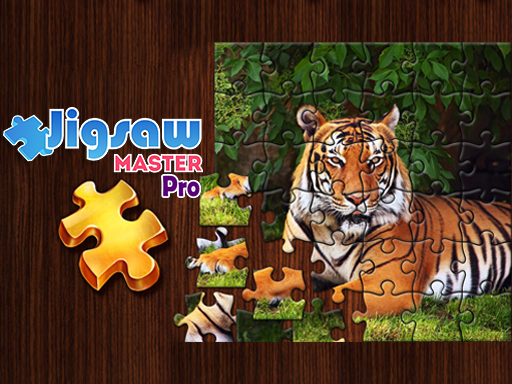
Jigsaw Master Pro is a relaxing jigsaw puzzle game designed to provide a peaceful escape into the world of puzzles. The core objective is to assemble scattered pieces to form a complete picture, drawing from a vast collection of beautiful images such as serene landscapes and adorable animals. This game is designed to be simple and accessible, making it suitable for players of all ages. It emphasizes a smooth and intuitive experience, allowing anyone to start playing right away and enjoy a sense of accomplishment with each completed puzzle. The game offers a calm and rewarding activity that can be enjoyed at one's own pace, making it an ideal choice for unwinding after a busy day.
How to Play
Players typically begin by selecting a picture from the available gallery. They can then choose the number of pieces to adjust the difficulty level. The main gameplay involves dragging and dropping puzzle pieces from a side panel onto the board to fit them together. A zoom feature is available to see details clearly, and a hint button can highlight the correct piece if needed. The game automatically saves progress, so players can return later. Completing a puzzle often unlocks new images and achievements. The controls are designed to be smooth and responsive across devices, making the experience enjoyable on various platforms.
Game Features
Jigsaw Master Pro includes hundreds of beautiful images to choose from, offering variety and replayability. It features adjustable difficulty levels, allowing players to play at their own pace by selecting the number of pieces. The game provides intuitive drag-and-drop controls that make gameplay easy for everyone. A helpful hint system assists when guidance is needed, and auto-save progress ensures no work is lost. The game may also include a zoom feature for detailed viewing and a system to unlock new content as puzzles are completed. These features combine to create a flexible and enjoyable puzzle experience.
Tips for Success
To get the most out of Jigsaw Master Pro, start with puzzles that have fewer pieces to build confidence and familiarity with the controls. Use the zoom feature to examine piece details and edges, which can help in matching shapes and colors. When stuck, rely on the hint button to identify the correct piece and keep momentum. It is also helpful to sort pieces by color or pattern before beginning, as this can speed up the assembly process. Finally, take breaks if needed, as the auto-save feature allows you to return to your puzzle at any time without losing progress.
Compatibility
You May Also Like

Truck Parking Challenge 2
Parking , Simulation , Driving , Puzzle , Family , Strategy
Parking Lot Puzzle: Clear the Path
Puzzle , Logic , Strategy , Family , Casual
Precision Parking Challenge
Parking , Driving , Simulation , Precision , Casual , Family , Puzzle
Parking Challenge Arcade Game
Parking , Driving , Arcade , Strategy , Family , Casual
Ben 10 Puzzle Challenge
Puzzle , Adventure
Precision Parking 3D
Driving , Skill , Simulation , Puzzle , Arcade
Tiny Fishing Adventure Arcade Game
Fishing , Casual , Arcade , Family-Friendly , Relaxing , HTML5